● Free for Windows · no subscription

Cull a whole wedding in minutes. The way you would.

FastCull picks the keepers from thousands of photos, learns your taste as you go, and hands your choices straight to Lightroom, Photo Mechanic or Bridge. Built by a working wedding photographer.

Windows 10 / 11 · works on any PC (a graphics card just makes it quicker) · your photos never leave your computer

Minutesto cull a whole wedding, not evenings
Your tastelearned from the weddings you've already culled
3 copiesof every card, each one checked
£0free, with free updates
How it works

From card to cull, in three steps.

No uploading, no waiting for a server, no credits. Everything runs on your own PC.

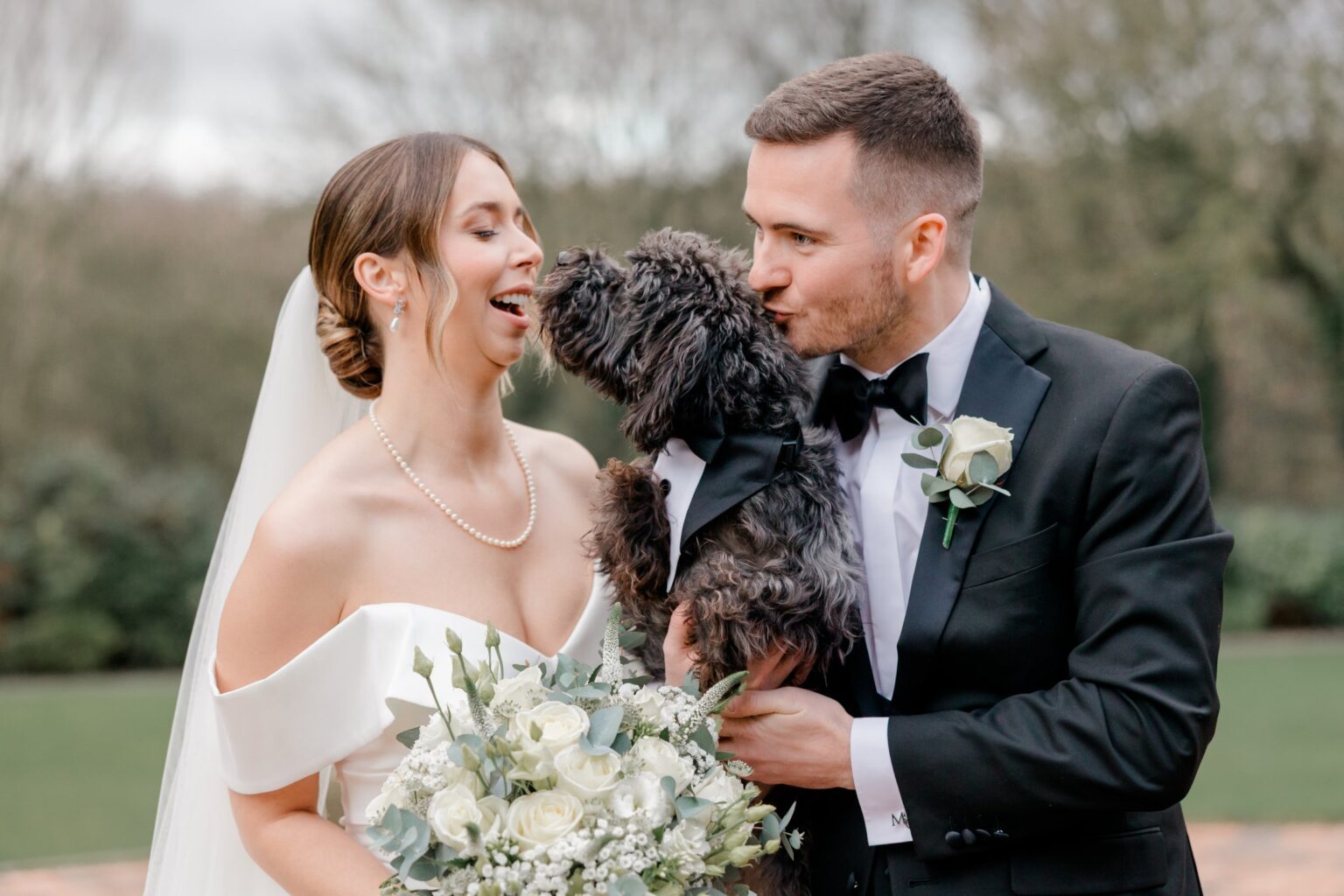
Bridesmaids
1

Pop the card in

FastCull notices the card and copies it to every backup place you've chosen, in folders named your way, checking every copy.

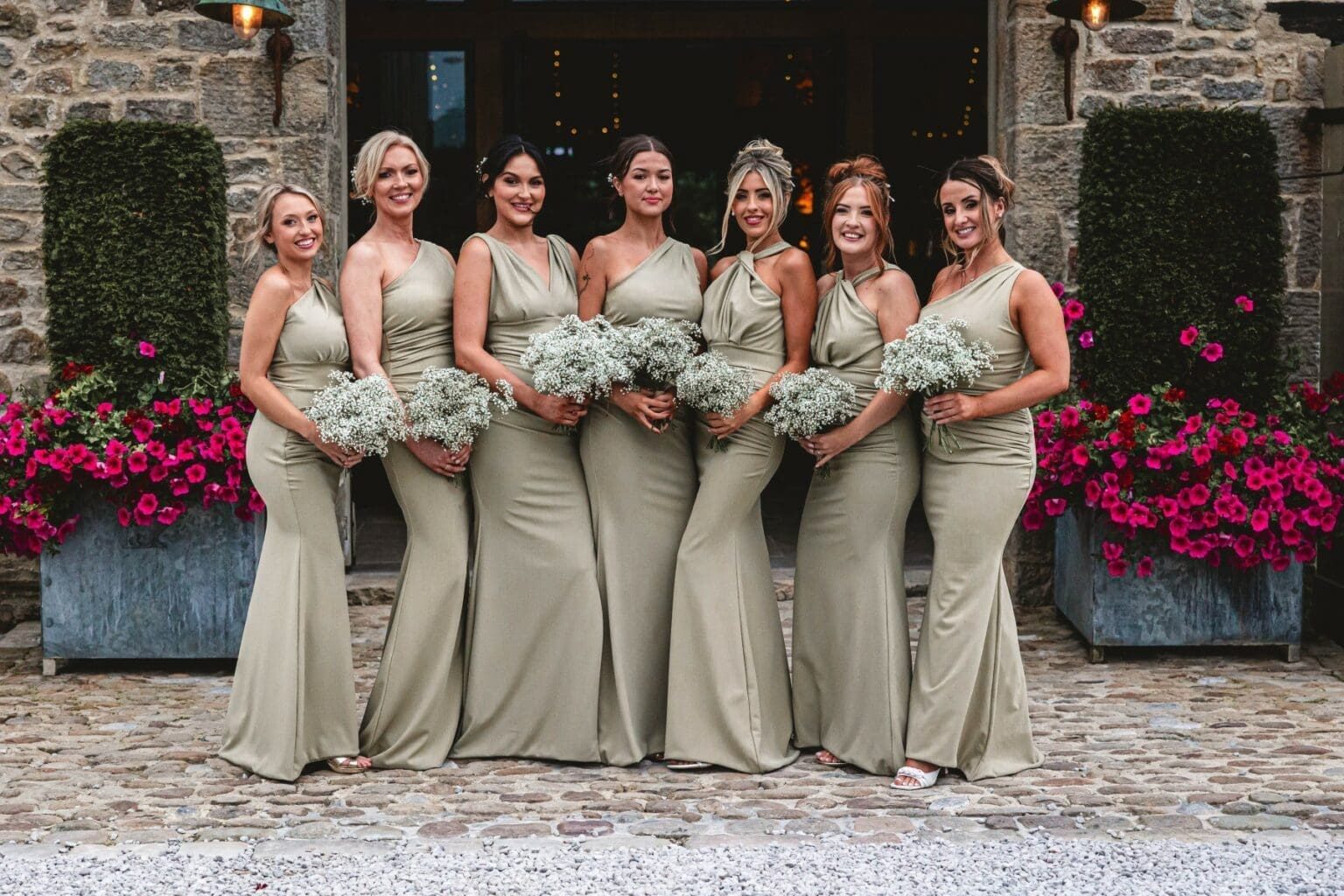
Speeches
2

It culls as it copies

Photos are analysed as they land. Sharpness, eyes, the best frame of every burst, and the moments you'd keep.

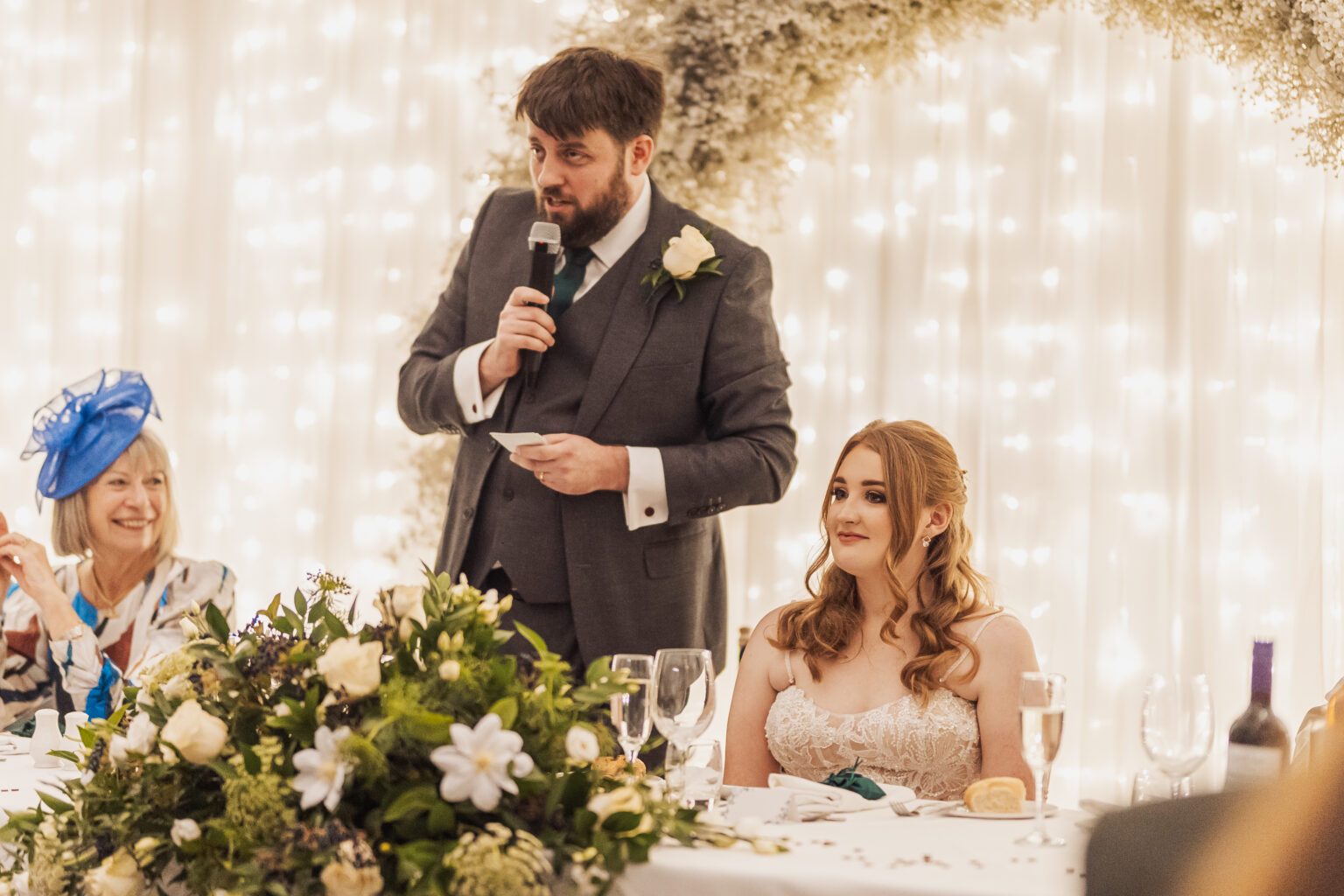
Champagne tower
3

Check and Apply

Flick through its picks, change anything you like, then Apply. Your colour labels or stars appear in Lightroom and Photo Mechanic.

Features

Everything a wedding cull needs. Nothing it doesn't.

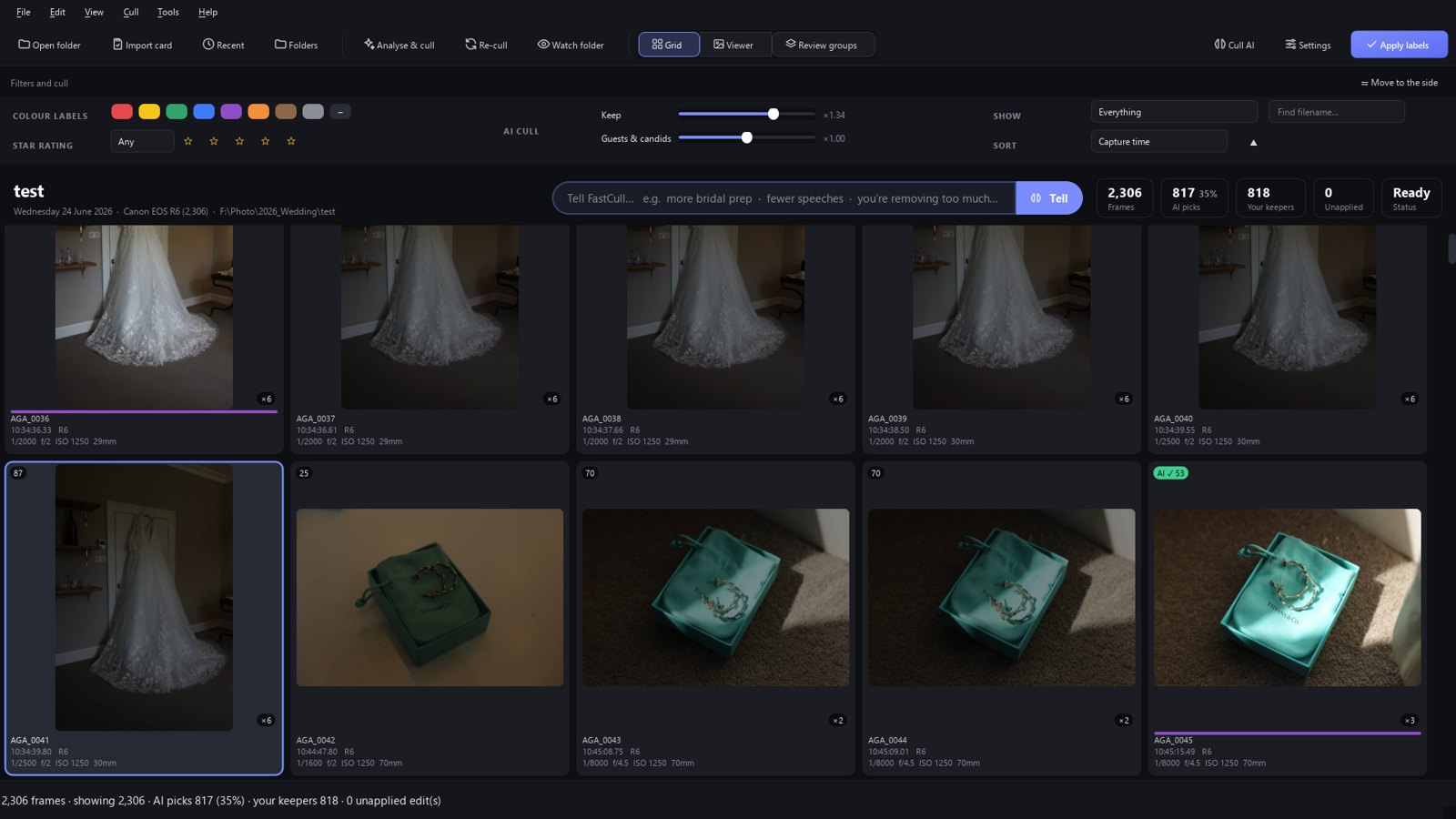
FastCull grid with AI picks
AI that culls like you

It learns your taste, not someone else's.

FastCull studies the weddings you've already culled and learns what you keep: how many, which moments, how many frames of a confetti throw, how much bridal prep.

  • Best frame of every burst, eyes open, sharp
  • Keeps learning as you cull, part of the day by part of the day
  • One slider for "keep more / fewer", another for guests & candids
Tell FastCull
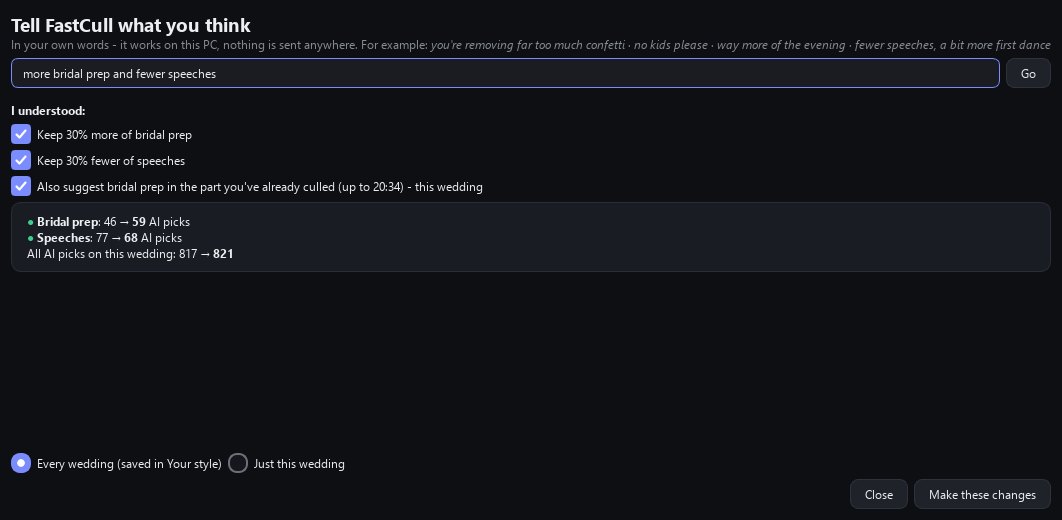
Tell FastCull

Talk to it like an assistant.

Type "more bridal prep", "you're removing too much confetti" or "no kids please". It shows you exactly what changes on this wedding before anything does.

  • Before → after counts for every change
  • This wedding only, or every wedding from now on
  • Works offline, nothing sent anywhere
Review groups
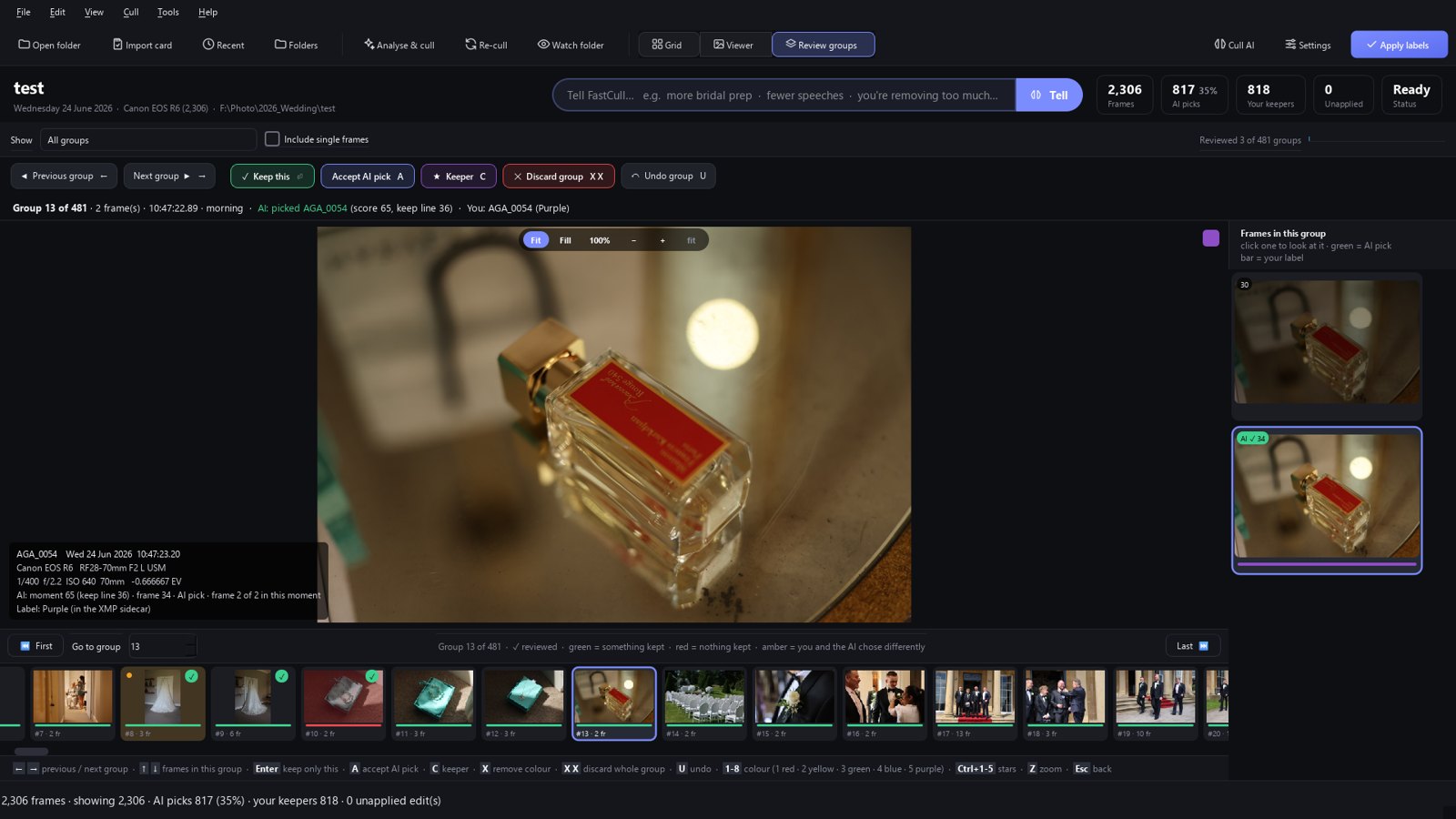
Review groups

Every burst, one decision at a time.

Work through the day burst by burst: keep this one, accept the AI's pick, or discard the lot, all from the keyboard. A quiet amber dot shows where you and the AI chose differently.

  • Show only groups with one keeper, several, or none
  • Photo Mechanic-style keys: colours 1–8, stars, tag
  • Big, resizable filmstrip and 100% zoom
Import and back up
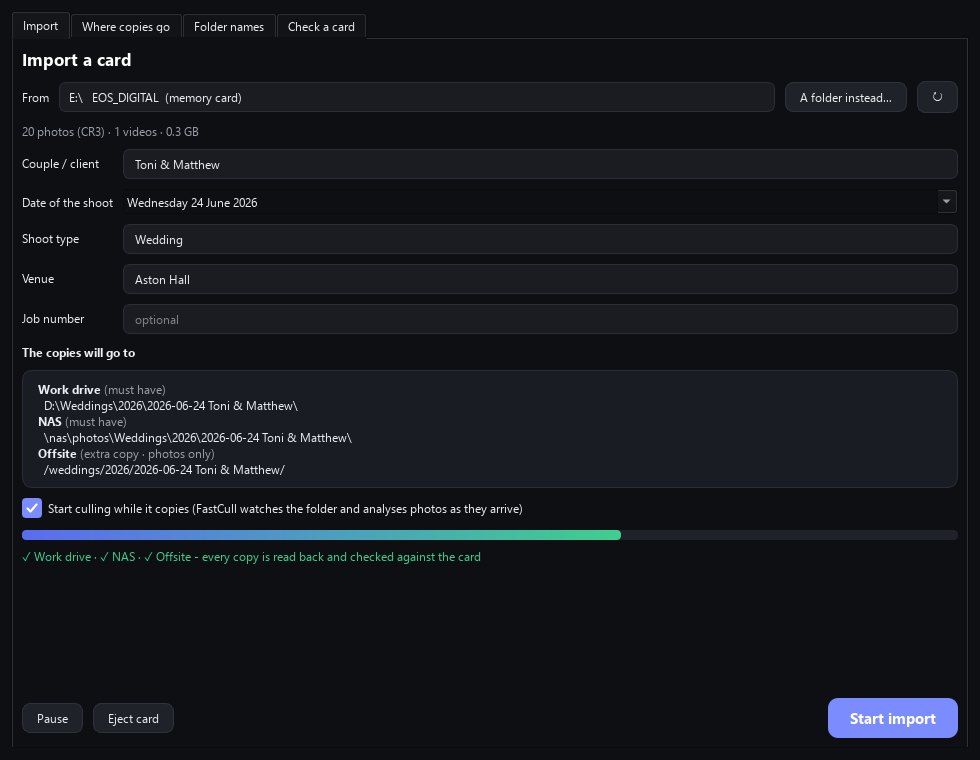
Import & back up

Your card, safely in up to three places, before you touch it.

Insert a card and FastCull offers to import it. Every file is read once, written to every place you've chosen (a drive, your NAS, an FTP or SFTP server), then read back and checked against the card.

  • Folder names your way: couple, date, venue, job number, from simple drop-downs
  • Resumes where it stopped and never copies the same file twice
  • Never formats or deletes anything on a card. It only reads it
  • "Check this memory card" tells you if anything is missing from any backup
And more

The small things that make it fast.

🏷️

Colours or stars

Mark keepers the way you already do: a colour label or a star rating. Everything follows your choice.

🧳

Your analysis travels

A tiny hidden folder goes with each wedding, so your laptop opens it already analysed.

🔗

Lightroom & Photo Mechanic

Writes standard XMP sidecars, so your labels, stars and tags show up wherever you edit.

📷

Your camera's RAW files

Culls Canon CR3/CR2, Nikon NEF, Sony ARW, Fuji RAF, Olympus ORF, Panasonic RW2, Pentax PEF, Samsung SRW, DNG and JPEG. Import & backup copies every RAW format.

🕐

Second shooter clock sync

Fix a second body's clock in seconds so the whole day sits in the right order.

🔒

Private by design

Your photos never leave your PC. No account, no upload, no cloud.

⚡

Updates in seconds

New versions install over the air. Only the changed parts download.

🛟

Never lose a choice

Forgot to Apply? FastCull asks before you close, and nothing is lost if you apply later.

🧠

Cull AI explained

See in plain English what it has learned about you, and fine-tune it with sliders.

Made for weddings

Built on real weddings, by someone who shoots them.

Fabio, wedding photographer and maker of FastCull
Why I made it

"After 120+ weddings I was spending more evenings culling than editing. I wanted a tool that culls the way I would, keeps my cards safe, and gets out of the way. So I built one, and now it's yours, free."

Fabio · Fabio Photography, Yorkshire wedding photographer

Questions

Good to know

Is it really free?

Yes. No subscription, no credits, no watermark. Updates are free too.

Do I need a powerful PC?

No. It runs on any Windows 10 / 11 PC. A graphics card makes the first analysis quicker, but isn't needed.

Are my photos uploaded anywhere?

No. Everything happens on your computer. FastCull doesn't need an account or the internet to cull.

Does it work with Lightroom and Photo Mechanic?

Yes. It writes standard XMP sidecars (colour labels, stars, tags, rotation, capture-time fixes), so they show up in Lightroom Classic, Photo Mechanic and Bridge.

Will it learn my style?

Yes. Point it at weddings you've already culled and it learns your keep rate and habits. It also keeps learning as you cull each new wedding.

Can it format my cards?

No, never. FastCull only reads memory cards. It tells you when every copy is checked and the card is safe to remove.

Is there a Mac version?

Not yet. FastCull is Windows only for now.

Which cameras?

Culling works with Canon (CR3, CR2), Nikon (NEF), Sony (ARW), Fujifilm (RAF), Olympus / OM (ORF), Panasonic (RW2), Pentax (PEF), Samsung (SRW), DNG and JPEG. Import & backup copies every RAW format, including Hasselblad, Phase One and Leica.
Free download

Get your evenings back.

Download FastCull, open a wedding, and see what it picks. It takes about two minutes to set up.